The IEP Goal-Tracking Sheet (Free Printable)
What is the IEP Goal-Tracking Sheet?
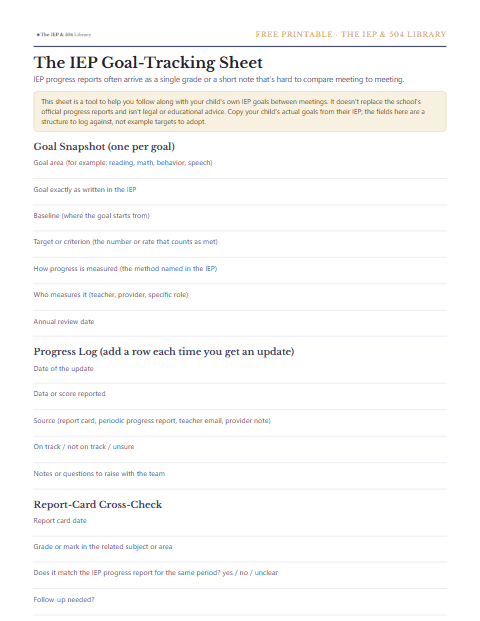
IEP progress reports often arrive as a single grade or a short note that's hard to compare meeting to meeting. This tracker gives you one page per goal to log the baseline, the target and every progress update as it comes in, so you can see a pattern over the year instead of one report in isolation. IDEA requires the IEP to state how progress will be measured and when periodic reports will go home, often on the same schedule as report cards, which is exactly the rhythm this sheet is built around.
How to use it
Fill in one Goal Snapshot section per IEP goal, copying the exact wording, baseline and target straight from the IEP. Each time a progress report, report card or informal update comes home, add a row to the Progress Log for that goal. Bring the filled sheet to the next meeting as your own record to compare against what the school reports.
What is on the printable
Goal Snapshot (one per goal)
- Goal area (for example: reading, math, behavior, speech)
- Goal exactly as written in the IEP
- Baseline (where the goal starts from)
- Target or criterion (the number or rate that counts as met)
- How progress is measured (the method named in the IEP)
- Who measures it (teacher, provider, specific role)
- Annual review date
Progress Log (add a row each time you get an update)
- Date of the update
- Data or score reported
- Source (report card, periodic progress report, teacher email, provider note)
- On track / not on track / unsure
- Notes or questions to raise with the team
Report-Card Cross-Check
- Report card date
- Grade or mark in the related subject or area
- Does it match the IEP progress report for the same period? yes / no / unclear
- Follow-up needed?
What a filled-in sheet looks like
Here is one goal logged the way the sheet is meant to be used, so the blank fields have something to compare against. The goal, the numbers and the dates are examples of the shape rather than targets for any child.
| Goal area | Reading (decoding) |
|---|---|
| Goal exactly as written in the IEP | Given a list of grade-level words, [student] will read aloud with 90 percent accuracy on 4 of 5 trials by the annual review date, as measured by weekly teacher-recorded decoding probes. |
| Baseline (where the goal starts from) | 62 percent accuracy on the same probe, recorded the week of the IEP meeting |
| Target or criterion | 90 percent accuracy on 4 of 5 trials |
| How progress is measured | Weekly teacher-recorded decoding probes |
| Who measures it | The reading specialist named on the services page of the IEP |
| Annual review date | March 4 |
The Goal Snapshot, filled in once from the IEP and then left alone.
| Date of the update | November 8 |
|---|---|
| Data or score reported | 71 percent accuracy |
| Source | Second-quarter periodic progress report, sent home with the report card |
| On track / not on track / unsure | On track: up 9 points from the baseline with two quarters still to go |
| Notes or questions to raise with the team | Ask whether the November probe used the same word list as the baseline, since a different list would make the two numbers hard to compare. |
One Progress Log row, added the day the progress report came home.
From the team behind this library
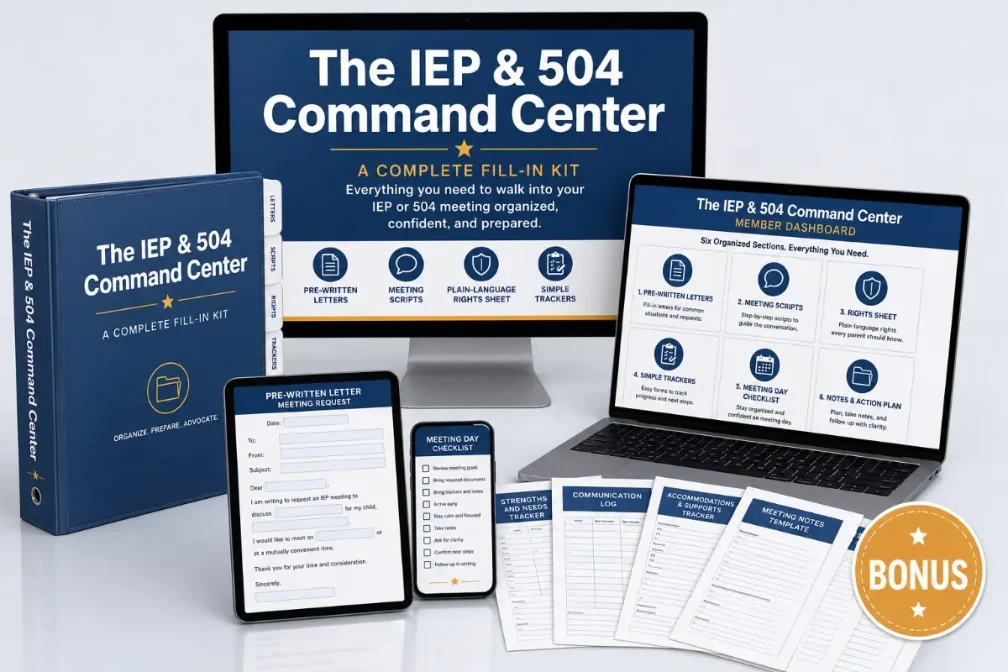
The IEP & 504 Command Center
This printable is the map. The Command Center is the done pieces: The Command Binder System, The Letter Library, The Meeting Script Deck, The Score-Your-IEP Self-Review, The Plain-Language Rights Cheat Sheet, so you walk in organized, working from the same paperwork the team has.